Party rental software
Party rental software for tables, chairs, linens and more
EventFlow is software for party and event rental companies. It knows how many pieces are free on each date, warns you before you promise something that's already booked, and keeps each event's quote, delivery crew, trucks and numbers in one place, so the business stops living in the owner's head.
Start a free 14-day trialNo credit card, no contract.
The problem isn't a small inventory, it's not knowing what's free
A June Saturday with three weddings and a graduation party splits your 400 chairs across four events. When the inventory lives in a spreadsheet nobody updated, a whiteboard in the warehouse and a group text, sooner or later the same chairs get promised twice, and you find out while loading the truck.
Even when that doesn't happen, every quote costs time: checking the warehouse, building the PDF by hand, remembering who's on delivery and what the event actually made after labor and fuel.
What EventFlow does for your rental company
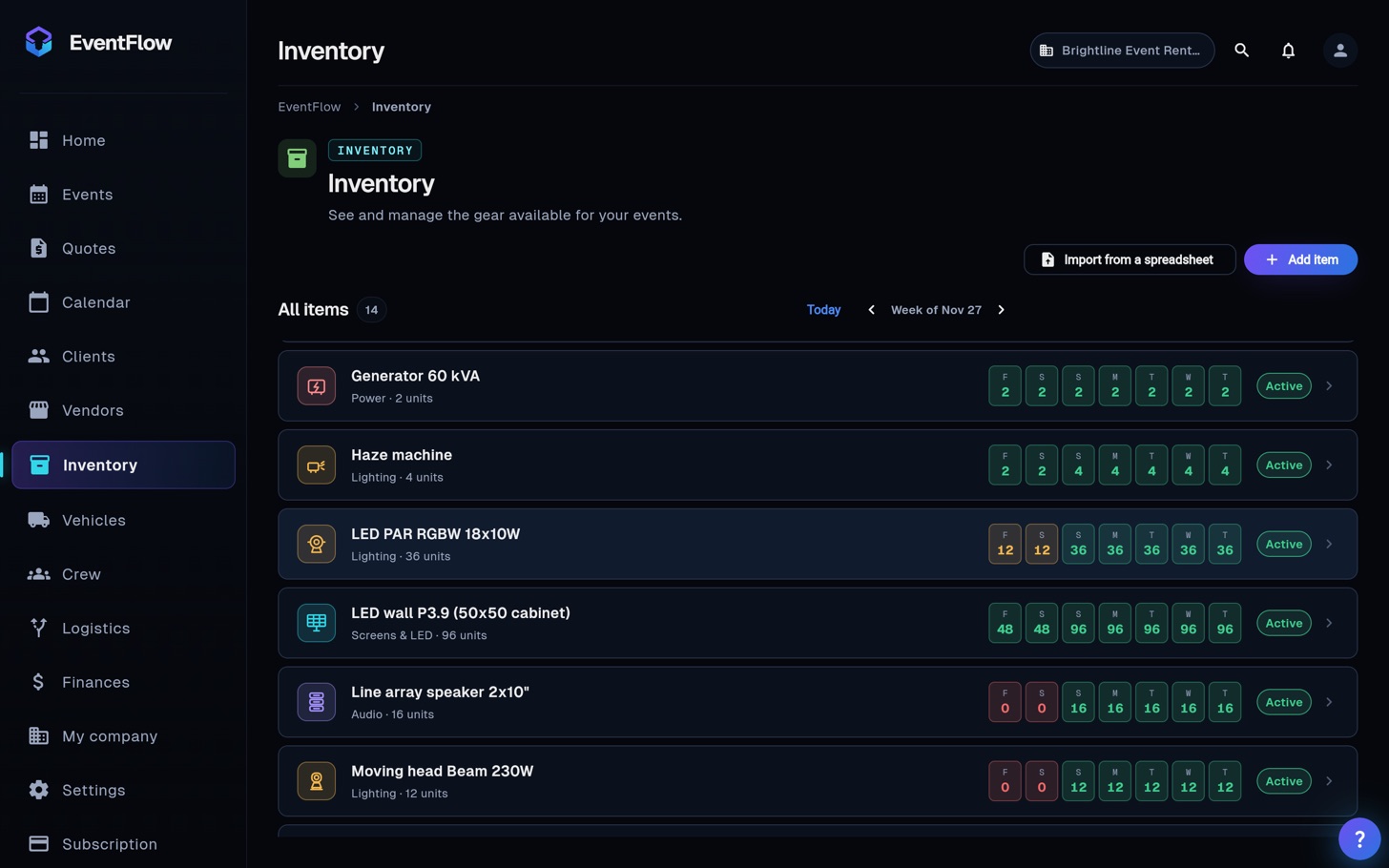
Inventory by date, not just stock counts
Every item has its total quantity. When you book it for an event, EventFlow checks every other event on those dates and shows how many pieces are left. Ask for more than you have and it warns you before you commit them.
Branded quotes in minutes
Build the quote from your own items and prices, with discounts, sales tax and a deposit, and download it as a PDF with your logo. Every version is saved, and an approved quote turns into the event without typing anything twice.
Delivery crews and trucks per event
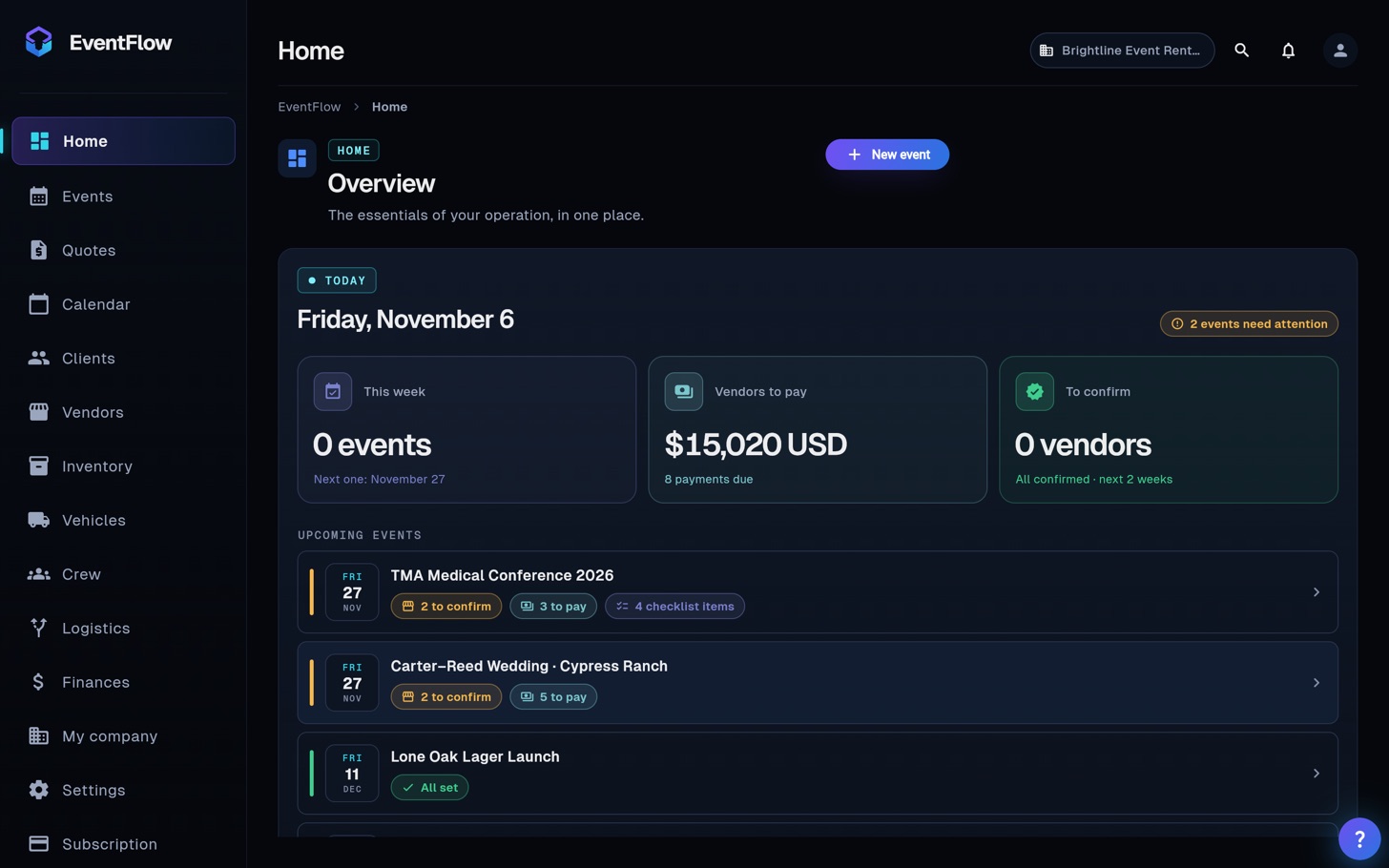
Assign drivers, loaders and setup crew, plus the truck or van. If someone or a vehicle is already on another event at that time, EventFlow tells you.
Delivery and pickup details in the event
Setup and strike times, delivery address, venue access, on-site contact and a checklist, so your crew doesn't have to call you to ask.
What every event actually made
Log deposits, payments, labor, fuel and cross-rentals per event and see the net. You'll know which events are worth taking.
Get set up in an afternoon
- Upload your inventory from Excel (name, category and quantity). No spreadsheet yet? Use our free template.
- Add your crew and your trucks.
- Enter the events you already have booked and assign what each one takes.
- Before you quote the next one, check what's free on that date.
What to look for in party rental software
If you rent tables, chairs, linens, dance floors or lounge furniture and you're comparing tools, check these before you move your inventory over:
- Availability by date, not just counts. Knowing you own 400 chairs isn't enough: you need to know how many are free on Saturday, counting every event that overlaps.
- A warning before you overbook. The software should stop you when you ask for more pieces than you have on that date, not let you find out at load-out.
- Quotes with your logo in minutes. With your prices, discounts, sales tax and deposit, as a PDF. And the quote should become the event without retyping it.
- Deliveries, pickups and crew. Setup and strike times, address, access, who's loading and which truck.
- Profit per event. Labor, fuel and expenses against what you charged, so you know which events pay.
- An Excel import. Retyping your inventory is the reason most rental companies never switch.
EventFlow does all of the above and imports your inventory from Excel in minutes. What it doesn't do: take online payments from your clients or e-sign contracts.
Pricing
Try the full Professional plan free for 14 days, no card needed. After that, plans are Starter $25, Professional $49 and Business $99 per month in US dollars, billed monthly or yearly (two months free). Cancel anytime.
Founders program: the first 20 companies that start a trial keep the Professional plan at $29 a month instead of $49, for as long as they stay, and we set up their next event together.
Frequently asked questions
Does it work if I rent single items and packages?
Yes. Each item has its own quantity (chairs, tables, linens, dance floor panels) and the quote can include package lines. What gets held from inventory is what you assign to the event.
What about multi-day events?
Each event has a start and end date, and the gear stays booked for the whole time. A one-day event holds it for the full day.
Can I import my inventory from Excel?
Yes. The importer reads a spreadsheet with name, category and quantity. Our free inventory template already has those columns.
Can my crew see events without changing anything?
Yes. There are three roles: owner, admin and member. Members can see the event, the logistics and what it takes, but can't edit.
Is it in English? My crew speaks Spanish.
Both. Each person picks English or Spanish for the app, and quotes go out in the language you choose.
Do I need a credit card for the trial?
No. You get 14 days of the full Professional plan with no card and no contract.